
LLMs improved rapidly. Almost every software today needs to integrate LLMs.
Managing many LLM providers in production comes with many challenges. While prototyping with a single API key is simple, operating LLM-powered applications at scale presents significant challenges. Developers frequently encounter issues like rate limits, provider outages, and inconsistent model performance (latency, accuracy, cost). Furthermore, continuous change management is required as providers update models, sometimes altering outputs without notice. API key management, access control, and the risk of vendor lock-in further complicate matters, highlighting that LLMs are not plug-and-play in real-world systems.
For practitioners, building robust, future-proof LLM applications demands fallback strategies, observability, and multi-provider architectures. This is precisely where LLM gateways become essential: a new infrastructure designed to abstract complexity, enhance reliability, and provide teams with the flexibility to adapt as the LLM ecosystem continues to evolve.
LLM APIs
For most teams building with large language models, APIs have become the default access point. Rather than self-hosting models which requires significant compute, fine-tuning pipelines, and operational expertise developers typically rely on hosted endpoints from providers like OpenAI, Anthropic, or Hugging Face. This approach simplifies integration but introduces a new set of challenges: every provider has its own API syntax, authentication mechanism, response structure, and conventions for advanced features such as tool calling or function execution.
Consider the following examples :
OpenAI Example
Even when working with a single provider like OpenAI, developers quickly discover that different generation tasks require different API calls or parameters. While the basic interaction pattern is always “prompt in → text out”, the surrounding API surface varies depending on the task.
1. Basic Freeform Text
Send a string and get a response:
from openai import OpenAI
client = OpenAI()

response = client.responses.create(
    model="gpt-5",
    input="Write a short bedtime story about a unicorn."
)

print(response.output_text)input→ prompt- response → aggregated response
2. Structured Outputs (JSON Mode)
Extract structured data instead of prose:
[
    {
        "id": "msg_67b73f697ba4819183a15cc17d011509",
        "type": "message",
        "role": "assistant",
        "content": [
            {
                "type": "output_text",
                "text": "Under the soft glow of the moon, Luna the unicorn danced through fields of twinkling stardust, leaving trails of dreams for every child asleep.",
                "annotations": []
            }
        ]
    }
Anthropic Example
Anthropic’s Claude models use the Messages API, following a prompt-in → text-out pattern with some differences.
1. Access & Authentication
- API keys generated in the Anthropic Console.
- Requests include
x-api-keyheader. - JSON required for all requests and responses.
2. Request Size Limits
- Standard endpoints: 32 MB
- Batch API: 256 MB
- Files API: 500 MB Exceeding limits →
413 request_too_largeerror.
3. Response Metadata
request-id→ unique request identifieranthropic-organization-id→ links to org
4. Example (Python)
import anthropic

client = anthropic.Anthropic(api_key="my_api_key")

message = client.messages.create(
    model="claude-opus-4-1-20250805",
    max_tokens=1024,
    messages=[{"role": "user", "content": "Write a one-sentence bedtime story about a unicorn."}]
)

print(message.content)
Typical response:
{
  "id": "msg_01ABC...",
  "type": "message",
  "role": "assistant",
  "content": [
    { "type": "text", "text": "In a meadow of silver light, a unicorn whispered dreams into the stars." }
  ]
}
Groq Example
Groq focuses on ultra-fast inference using custom LPU (Language Processing Unit) chips. Ideal for latency-sensitive applications like chatbots, copilots, and edge AI.
- Direct API:
Authorization: Bearer <GROQ_API_KEY> - Hugging Face API (optional):
provider="groq"withHF_TOKEN
Example via Hugging Face
import os
from huggingface_hub import InferenceClient

client = InferenceClient(
    provider="groq",
    api_key=os.environ["HF_TOKEN"],
)

completion = client.chat.completions.create(
    model="openai/gpt-oss-120b",
    messages=[{"role": "user", "content": "What is the capital of France?"}]
)
print(completion.choices[0].message)
Response:
{
  "choices": [
    {
      "message": {
        "role": "assistant",
        "content": "The capital of France is Paris."
      }
    }
  ]
}
Comparison Between APIs
| Feature / Provider | OpenAI | Anthropic | Groq (via HF or Direct) |
|---|---|---|---|
| Primary Access | Responses API | Messages API | Direct API / HF InferenceClient |
| Prompt Pattern | Freeform / JSON / Tool / Roles | Messages (role-based) | Chat completion |
| Structured Output | JSON Schema / Tool Calls | Text only (list of messages) | Text only |
| Tool / Function Calling | Supported | Not native | Not native |
| Auth Method | API key | x-api-key | API key (direct) / HF token |
| Max Request Size | Varies (MB) | Standard 32 MB, Batch 256 MB | Varies (HF or direct) |
| Special Notes | Reusable prompts, roles | Rich metadata in headers | Ultra-fast inference, deterministic latency |
We’ve seen that each provider (OpenAI, Anthropic, Groq, and others) has a different API. Each uses a different authentication method, request format, role definition, and response structure.
Now imagine you want to switch between providers (or combine multiple providers in one application). You’d need to rewrite the entire LLM logic each time. This quickly becomes complex and error-prone.
LLM gateways solve this problem. They provide a unified interface for LLM calls. LLM gateways act as a middleware layer that abstracts provider-specific differences. They give you a single, consistent API to interact with all models and providers.
Top LLM Gateways
LLM Gateways provide a single interface to access multiple large language models (LLMs), simplifying integration, observability, and management across providers.
1. LiteLLM
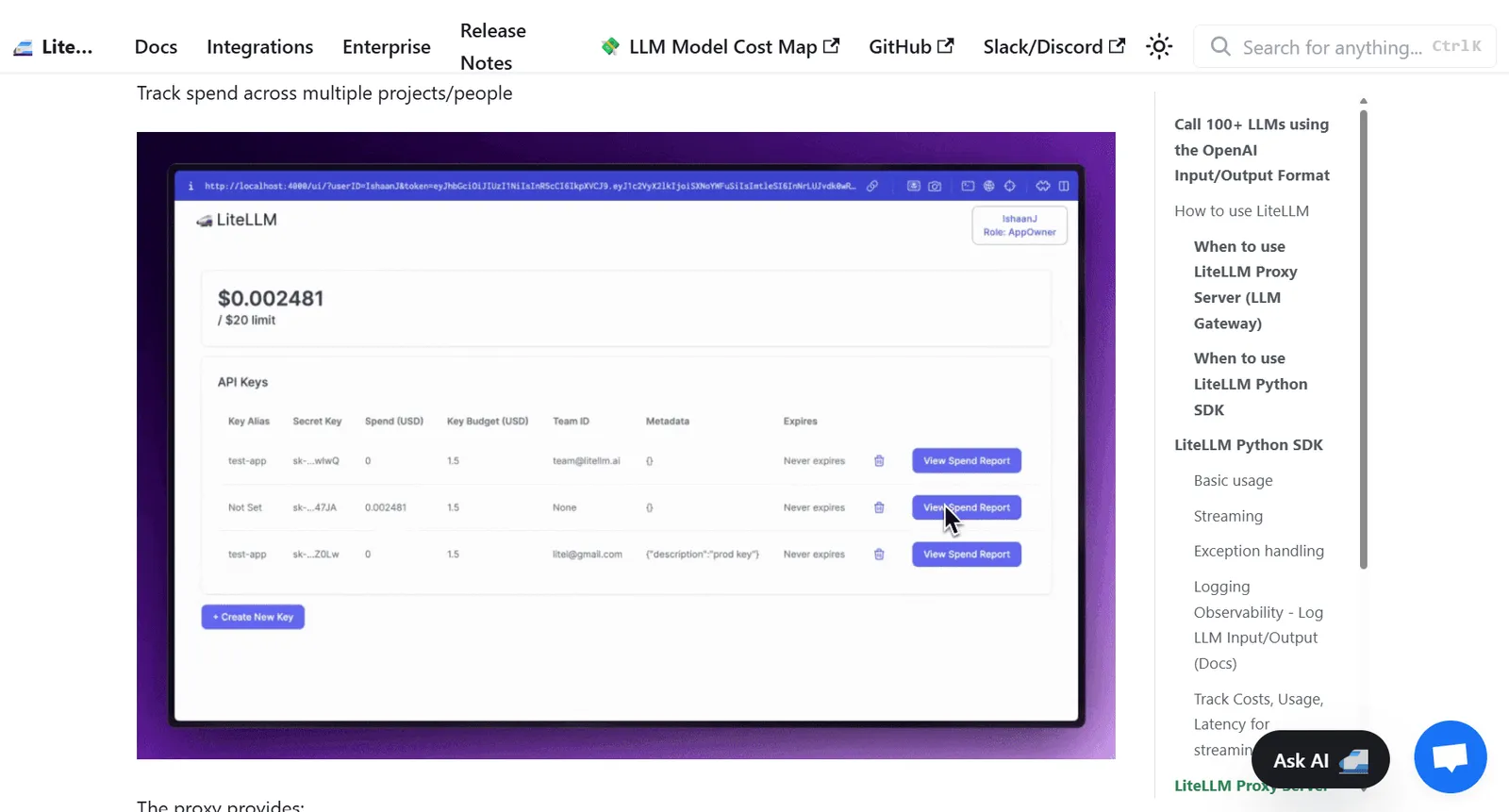
LiteLLM is a versatile platform allowing developers and organizations to access 100+ LLMs through a consistent interface. It provides both a Proxy Server (LLM Gateway) and a Python SDK, suitable for enterprise platforms and individual projects.
Key Features
- Multi-Provider Support: OpenAI, Anthropic, xAI, VertexAI, NVIDIA, HuggingFace, Azure OpenAI, Ollama, Openrouter, Novita AI, Vercel AI Gateway, etc.
- Unified Output Format: Standardizes responses to OpenAI style (
choices[0]["message"]["content"]). - Retry and Fallback Logic: Ensures reliability across multiple deployments.
- Cost Tracking & Budgeting: Monitor usage and spending per project.
- Observability & Logging: Integrates with Lunary, MLflow, Langfuse, Helicone, Promptlayer, Traceloop, Slack.
- Exception Handling: Maps errors to OpenAI exception types for simplified management.
LiteLLM Proxy Server (LLM Gateway)
The Proxy Server is ideal for centralized management of multiple LLMs, commonly used by Gen AI Enablement and ML Platform teams.
Advantages:
- Unified access to 100+ LLMs
- Centralized usage tracking
- Customizable logging, caching, guardrails
- Load balancing and cost management
LiteLLM Python SDK
For developers, the Python SDK provides a lightweight client interface with full multi-provider support.
Installation:
pip install litellmBasic Usage Example:
from litellm import completion
import os

os.environ["OPENAI_API_KEY"] = "your-api-key"

response = completion(
  model="openai/gpt-4o",
  messages=[{"content": "Hello, how are you?", "role": "user"}]
)

print(response["choices"][0]["message"]["content"])
Streaming Responses:
response = completion(
  model="openai/gpt-4o",
  messages=[{"content": "Hello, how are you?", "role": "user"}],
  stream=True
)
Exception Handling
LiteLLM standardizes exceptions across providers using OpenAI error types:
from openai.error import OpenAIError
from litellm import completion
import os

os.environ["ANTHROPIC_API_KEY"] = "bad-key"

try:
    completion(
        model="claude-instant-1",
        messages=[{"role": "user", "content": "Hey, how's it going?"}]
    )
except OpenAIError as e:
    print(e)
Logging & Observability
LiteLLM supports pre-defined callbacks to log input/output for monitoring and tracking:
import litellm
import os

os.environ["LUNARY_PUBLIC_KEY"] = "your-lunary-public-key"

litellm.success_callback = ["lunary", "mlflow", "langfuse", "helicone"]

response = completion(
    model="gpt-3.5-turbo",
    messages=[{"role": "user", "content": "Hi 👋"}]
)- Custom callbacks track costs, usage, latency, and other metrics.
2. Helicone AI
Helicone AI Gateway provides a single, OpenAI-compatible API to access 100+ LLMs from multiple providers (GPT, Claude, Gemini, Vertex, Groq, etc.).
It simplifies SDK management by offering one interface, intelligent routing, automatic fallbacks, and unified observability.
Key Features
- Single SDK for All Models: No need to learn multiple provider APIs.
- Intelligent Routing: Automatic fallbacks, load balancing, cost optimization.
- Unified Observability: Track usage, costs, and performance in one dashboard.
- Prompt Management: Deploy and iterate prompts without code changes.
- Security & Access Control: Supports BYOK and passthrough routing.
Quick Integration
Step 1: Set Up Your Keys
- Sign up for a Helicone account.
- Generate a Helicone API key.
- Add LLM provider keys (OpenAI, Anthropic, Vertex, etc.) in Provider Keys.
Step 2: Send Your First Request
JavaScript/TypeScript Example:
import { OpenAI } from "openai";

const client = new OpenAI({
  baseURL: "<https://ai-gateway.helicone.ai>",
  apiKey: process.env.HELICONE_API_KEY,
});

const response = await client.chat.completions.create({
  model: "gpt-4o-mini",
  messages: [{ role: "user", content: "Hello, world!" }],
});

console.log(response.choices[0].message.content);
Python Example:
from openai import OpenAI
import os

os.environ["HELICONE_API_KEY"] = "your-helicone-api-key"

client = OpenAI(api_key=os.environ["HELICONE_API_KEY"])

response = client.chat.completions.create(
    model="gpt-4o-mini",
    messages=[{"role": "user", "content": "Hello, world!"}]
)

print(response.choices[0].message.content)
Notes:
- Existing SDK users can leverage direct provider integrations for logging and observability.
- Switching providers only requires changing the model string no code changes needed.
3. BricksLLM
BricksLLM is a cloud-native AI gateway written in Go, designed to put large language models (LLMs) into production. It provides enterprise-grade infrastructure for managing, securing, and scaling LLM usage across organizations, supporting OpenAI, Anthropic, Azure OpenAI, vLLM, and Deepinfra natively.
A managed version of BricksLLM is also available, featuring a dashboard for easier monitoring and interaction.
Key Features
- User & Organization Controls: Track LLM usage per user/org and set usage limits.
- Security & Privacy: Detect and mask PII, control endpoint access, redact sensitive requests.
- Reliability & Performance: Failovers, retries, caching, rate-limited API key distribution.
- Cost Management: Rate limits, spend limits, cost analytics, and request analytics.
- Access Management: Model-level and endpoint-level access control.
- Integration & Observability: Native support for OpenAI, Anthropic, Azure, vLLM, Deepinfra, custom deployments, and Datadog logging.
Getting Started with BricksLLM-Docker
- Clone the repository:
git clone <https://github.com/bricks-cloud/BricksLLM-Docker>
cd BricksLLM-Docker- Deploy locally with PostgreSQL and Redis:
docker compose up -d- Create a provider setting:
curl -X PUT <http://localhost:8001/api/provider-settings> \\
  -H "Content-Type: application/json" \\
  -d '{
        "provider":"openai",
        "setting": { "apikey": "YOUR_OPENAI_KEY" }
}'- Create a Bricks API key:
curl -X PUT <http://localhost:8001/api/key-management/keys> \\
  -H "Content-Type: application/json" \\
  -d '{
        "name": "My Secret Key",
        "key": "<your-gateway-key>",
        "tags": ["mykey"],
        "settingIds": ["ID_FROM_STEP_THREE"],
        "rateLimitOverTime": 2,
        "rateLimitUnit": "m",
        "costLimitInUsd": 0.25
}'- Use the gateway via curl:
curl -X POST <http://localhost:8002/api/providers/openai/v1/chat/completions> \\
  -H "Authorization: Bearer <your-gateway-key>" \\
  -H "Content-Type: application/json" \\
  -d '{
        "model": "gpt-3.5-turbo",
        "messages": [{"role": "system","content": "hi"}]
      }'
Or point your SDK to BricksLLM:
import OpenAI from 'openai';

const openai = new OpenAI({
  apiKey: "<your-gateway-key>",
  baseURL: "<http://localhost:8002/api/providers/openai/v1>"
});
Updates
- Latest version:
docker pull luyuanxin1995/bricksllm:latest - Specific version:
docker pull luyuanxin1995/bricksllm:1.4.0
Environment Configuration
BricksLLM uses PostgreSQL and Redis. Key environment variables include:
- PostgreSQL:
POSTGRESQL_HOSTS,POSTGRESQL_DB_NAME,POSTGRESQL_USERNAME,POSTGRESQL_PASSWORD - Redis:
REDIS_HOSTS,REDIS_PORT,REDIS_PASSWORD - Proxy:
PROXY_TIMEOUT,NUMBER_OF_EVENT_MESSAGE_CONSUMERS - AWS keys for PII detection:
AWS_ACCESS_KEY_ID,AWS_SECRET_ACCESS_KEY,AMAZON_REGION
These allow customization for deployment, logging, and security.
4. TensorZero
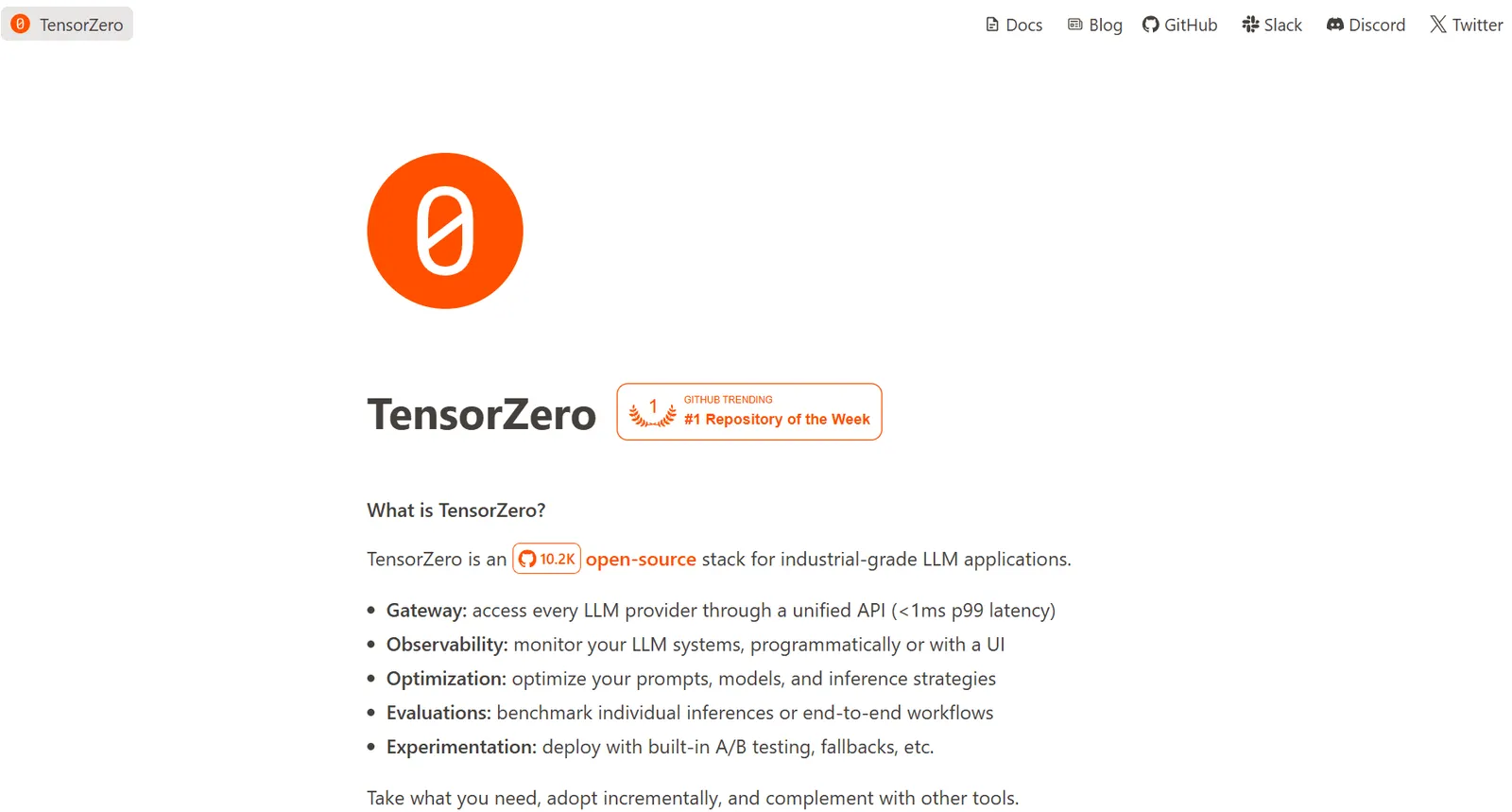
The TensorZero Gateway is an industrial-grade, Rust-based LLM gateway providing a unified interface for all LLM applications. It combines low-latency performance, structured inferences, observability, experimentation, and GitOps orchestration, ideal for production deployments.
Key Features
One API for All LLMs
Supports major providers:
- Anthropic, AWS Bedrock, AWS SageMaker, Azure OpenAI Service
- Fireworks, GCP Vertex AI Anthropic & Gemini, Google AI Studio (Gemini API)
- Groq, Hyperbolic, Mistral, OpenAI, OpenRouter, Together, vLLM, xAI
- Any OpenAI-compatible API (e.g., Ollama)
New providers can be requested via GitHub.
Blazing-Fast Performance
- Rust-based gateway with <1ms P99 latency overhead under heavy load (10,000 QPS)
- 25–100× lower latency than LiteLLM under high throughput
Structured Inferences & Multi-Step Workflows
- Enforces schemas for inputs/outputs for robustness
- Supports multi-step LLM workflows with episodes, enabling inference-level feedback
Built-In Observability
- Collects structured traces, metrics, and natural-language feedback in ClickHouse
- Enables analytics, optimization, and replay of historical inferences
Experimentation & Fallbacks
- Supports A/B testing between variants
- Automatic fallback to alternate providers or variants for high availability
GitOps-Oriented Orchestration
- Manage prompts, models, parameters, tools, and experiments programmatically
- Supports human-readable configs or fully programmatic orchestration
Getting Started: Python Example
Install the TensorZero client:
pip install tensorzeroRun an LLM inference:
from tensorzero import TensorZeroGateway

# Build embedded client with configuration
with TensorZeroGateway.build_embedded(clickhouse_url="clickhouse://localhost:9000", config_file="config.yaml") as client:

    # Run an LLM inference
    response = client.inference(
        model_name="openai::gpt-4o-mini",
        input={
            "messages": [
                {
                    "role": "user",
                    "content": "Write a haiku about artificial intelligence."
                }
            ]
        }
    )

print(response)
from tensorzero import TensorZeroGateway
# Build embedded client with configuration
with TensorZeroGateway.build_embedded(clickhouse_url="clickhouse://localhost:9000", config_file="config.yaml") as client:
# Run an LLM inference
response = client.inference(
model_name="openai::gpt-4o-mini", # or "anthropic::claude-3-7-sonnet"
input={
"messages": [
{
"role": "user",
"content": "Write a haiku about artificial intelligence."
}
]
}
)
print(response)5. Kong AI Gateway
Kong’s AI Gateway allows you to deploy AI infrastructure that routes traffic to one or more LLMs. It provides semantic routing, security, monitoring, acceleration, and governance of AI requests using AI-specific plugins bundled with Kong Gateway.
This guide shows how to set up the AI Proxy plugin with OpenAI using a quick Docker-based deployment.
Prerequisites
- Kong Konnect Personal Access Token (PAT) Generate a token via the Konnect PAT page and export it:
export KONNECT_TOKEN='YOUR_KONNECT_PAT'- Run Quickstart Script Automatically provisions a Control Plane and Data Plane and configures your environment:
curl -Ls <https://get.konghq.com/quickstart> | bash -s -- -k $KONNECT_TOKEN --deck-outputSet environment variables as prompted:
export DECK_KONNECT_TOKEN=$KONNECT_TOKEN
export DECK_KONNECT_CONTROL_PLANE_NAME=quickstart
export KONNECT_CONTROL_PLANE_URL=https://us.api.konghq.com
export KONNECT_PROXY_URL='<http://localhost:8000>'
Verify Kong Gateway and decK
Check that Kong Gateway is running and accessible via decK:
deck gateway pingExpected output:
Successfully Konnected to the Kong organization!Create a Gateway Service
Define a service for your LLM provider:
echo '
_format_version: "3.0"
services:
  - name: llm-service
    url: <http://localhost:32000>
' | deck gateway apply -
The URL can be any placeholder; the plugin handles routing.
Create a Route
Create a route for your chat endpoint:
echo '
_format_version: "3.0"
routes:
  - name: openai-chat
    service:
      name: llm-service
    paths:
    - "/chat"
' | deck gateway apply -
Enable the AI Proxy Plugin
Enable the AI Proxy plugin for the route:
echo '
_format_version: "3.0"
plugins:
  - name: ai-proxy
    config:
      route_type: llm/v1/chat
      model:
        provider: openai
' | deck gateway apply -
Notes:
- Clients must include the model name in the request body.
- Clients must provide an OpenAI API key in the
Authorizationheader. - Optionally, you can embed the OpenAI API key directly in the plugin configuration (
config.auth.header_nameandconfig.auth.header_value).
Validate the Setup
Send a test POST request to the /chat endpoint:
curl -X POST "$KONNECT_PROXY_URL/chat" \\
     -H "Accept: application/json" \\
     -H "Content-Type: application/json" \\
     -H "Authorization: Bearer $OPENAI_KEY" \\
     --json '{
       "model": "gpt-4",
       "messages": [
         {
           "role": "user",
           "content": "Say this is a test!"
         }
       ]
     }'
Expected outcome:
- HTTP 200 OK
- Response body contains the model’s reply, e.g.,
"This is a test."
Comparison :
| Feature / Gateway | LiteLLM | Helicone | BricksLLM | TensorZero | Bifrost | Kong |
|---|---|---|---|---|---|---|
| Primary Focus | Multi-provider LLM access with Python SDK & Proxy | Unified OpenAI-compatible API for 100+ LLMs | Enterprise-grade production LLM gateway | Industrial-grade Rust-based gateway for low-latency, structured workflows | Zero-config OpenAI-compatible gateway | AI Gateway for routing & governance with plugins |
| Supported Providers | OpenAI, Anthropic, xAI, VertexAI, NVIDIA, HuggingFace, Azure, Ollama, Novita AI, Vercel AI Gateway, others | GPT, Claude, Gemini, Vertex, Groq, others | OpenAI, Anthropic, Azure OpenAI, vLLM, Deepinfra, custom deployments | Anthropic, AWS Bedrock & SageMaker, Azure OpenAI, Fireworks, Vertex AI, Groq, Mistral, OpenAI, OpenRouter, Together, xAI | OpenAI, Anthropic, Mistral, Azure OpenAI, AWS Bedrock, Google Vertex, others | OpenAI, Anthropic, Mistral, Azure OpenAI, AWS Bedrock, Google Vertex, others |
| Deployment | Proxy server / Python SDK | Cloud / API | Docker / Local / Managed | Rust-based Gateway / Python SDK | Local / Docker | Kong Gateway (Docker / Konnect) |
| Latency / Performance | Standard cloud latency | Standard cloud latency | Production-grade, caching & failover | <1ms P99 latency overhead, high throughput | Very fast, zero-config | Standard HTTP gateway, plugin-based routing |
| Observability & Logging | Integrates with Lunary, MLflow, Langfuse, Helicone, Promptlayer, Traceloop, Slack | Unified dashboard for usage, cost, and performance | Datadog integration, analytics, request logging | ClickHouse traces, metrics, structured logging | Web UI: live metrics, request logs | decK CLI, Kong dashboard, plugin metrics |
| Error / Exception Handling | Unified OpenAI-style errors across providers | Automatic fallbacks, unified logging | Rate-limited, retries, PII masking, access control | Automatic fallbacks, multi-step workflow safety | Automatic retries, network & API key handling | Configurable retries, network, and header settings |
| Structured / Multi-step Support | JSON outputs, function calls | Basic text responses | Supports structured inputs via API | Schemas, multi-step workflows, episodes | Supports multiple providers but mostly freeform text | Supports routing to structured endpoints via plugin |
| Access Control & Security | API key management, cost tracking | BYOK support, passthrough routing | User/org-level quotas, PII masking, access control | GitOps orchestration, model & endpoint control | Virtual keys, usage budgets | API key in Authorization header, optional embedded keys |
| Programming Interfaces | Python SDK, REST API | REST API (OpenAI-compatible) | REST API, cURL, SDKs | Python SDK / Rust gateway | REST API / UI | REST API, decK YAML, plugin config |
| Ease of Use / Setup | Easy Python SDK integration, Proxy server | Single API for all models, minimal code changes | Requires Docker / managed deployment, enterprise setup | Requires Rust gateway and Python SDK | Zero-config, local Docker, web UI | Requires Kong setup, decK configuration, plugin management |
| Use Case Focus | Developers / ML teams | Developers who want single API interface | Enterprises needing governance & analytics | Production-grade AI pipelines / structured workflows | Fast prototyping, lightweight dev integration | Enterprise AI deployment with governance & routing |
Conclusion:
We explored in this article the major LLM APIs and gateways (LiteLLM, Helicone, BricksLLM, TensorZero, Bifrost, and Kong). We highlighting their strengths, use cases, and setup processes. Gateways simplify multi-model management, observability, cost control, and enterprise-grade deployment. Choosing the right solution depends on whether your priority is quick integration, production reliability, low-latency workflows, or governed routing. By understanding these platforms as detailed above, teams can design AI infrastructure that is scalable, efficient, and easy to maintain.
FAQ
What is an LLM Gateway?
An LLM Gateway is a tool that connects your app to different AI model providers. It makes it easier to send requests, switch providers, and keep things running smoothly.
Which LLM Gateway is best for beginners or small projects?
LiteLLM and Bifrost are the easiest to start with. LiteLLM works with a simple Python SDK, while Bifrost runs with almost no setup and gives you a web dashboard.
Which LLM Gateway is best for big companies?
BricksLLM and Kong are built for larger teams. They focus on security, access control, and detailed analytics that enterprises usually need.
Which LLM Gateway is the fastest?
TensorZero is made for speed. It’s built in Rust and adds less than a millisecond of delay, making it great for real-time or large-scale systems.
Do LLM Gateways help with monitoring and tracking?
Yes. Some have dashboards to track usage and costs (like Helicone), others work with popular tools like Datadog (BricksLLM), or provide detailed logs (TensorZero).
Do they handle errors automatically?
Most gateways include retries and fallbacks. For example, Helicone and TensorZero can switch providers if one fails, and LiteLLM makes errors look the same across providers.